Every site, one glance.
Live in the menu bar
The number of active users across your sites, with a 30-minute sparkline, refreshed every minute.
Every site at a glance
One tile per site with its own icon and colour, live users, today so far compared with yesterday, and minute-by-minute bars.
Tap a site for the detail
See which countries visitors are in right now, which pages they are reading and where today's visits came from. Pop the dashboard out into its own window when you want it on screen.
Spikes, flagged
A site glows when visits jump well above what's usual for that time of day. Notifications are optional and off by default.
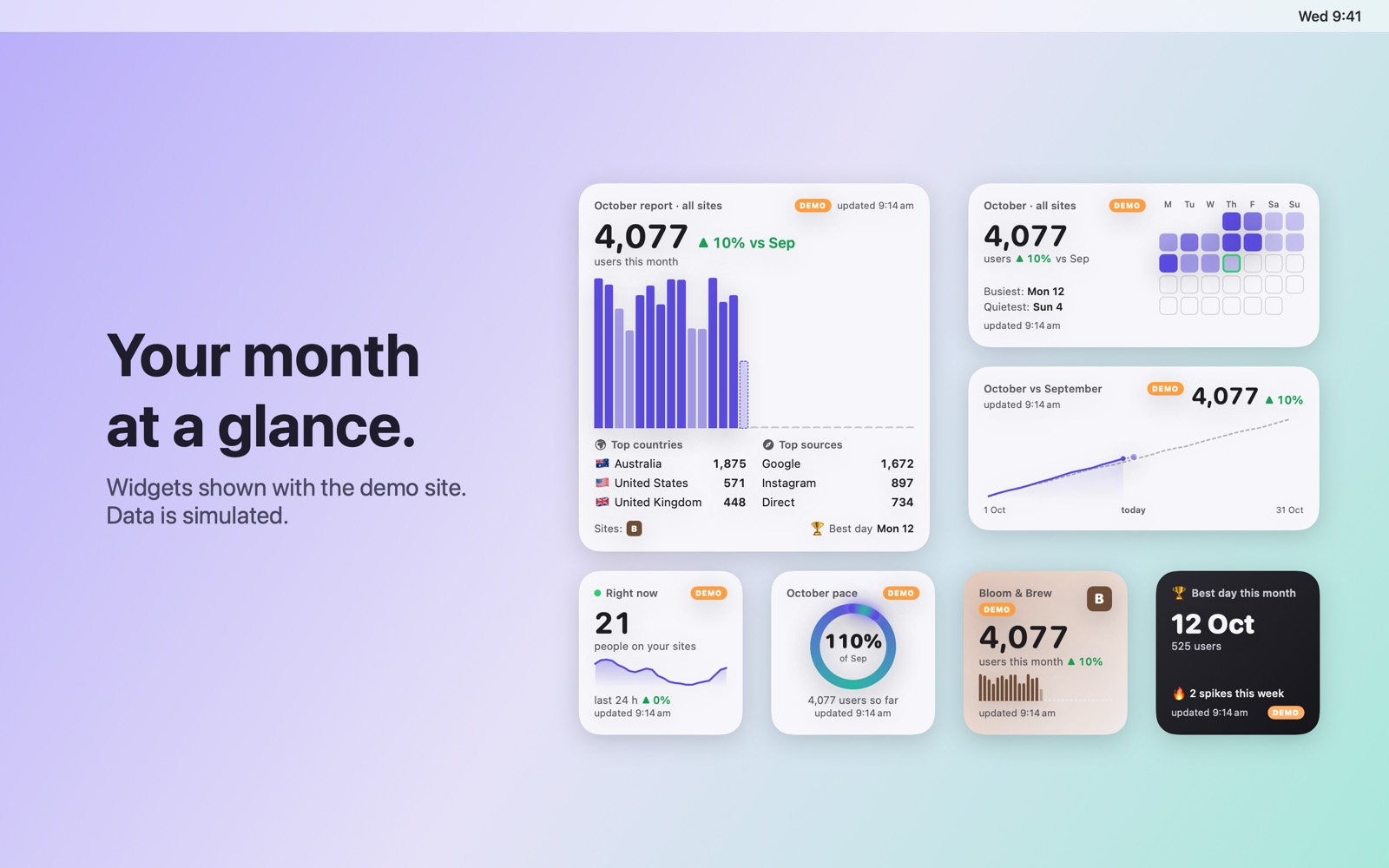
Widgets for your desktop
Nine widgets in small, medium, large and extra-large sizes: your month so far, pace against last month, a race against it, top countries and sources, a sites leaderboard and more. They update from the app and work offline.
Private by design
Read-only access to Google Analytics. Your data stays on your Mac. No accounts, no servers, no tracking.
Know when a site heats up.
Site Pulse learns what's usual for each site at each hour of the week. When real traffic runs well past that baseline, the tile glows, the menu-bar count gives a little bounce, and — if you opt in — you get one notification.
A spike is at least 1.5× what's usual for this time of day, and at least 10 users above it. Notifications are optional and off by default.
Nine widgets for your desktop.
Small, medium, large and extra-large: your month so far, pace against last month, a race against it, top countries and sources, a sites leaderboard and more. They update from the app and work offline.
Your numbers never leave your Mac.
The fine print is short and readable: the privacy policy, including the Google API Services User Data Policy Limited Use statement.
Questions, answered.
Site Pulse opens with a demo site, a pretend coffee shop called Bloom & Brew with made-up visitors, so you can see how it works before connecting anything. Connect one or more Google accounts whenever you like; the demo steps aside.
What do I need?
macOS 26 or later, and access to at least one Google Analytics 4 property.
What does it ask Google for?
Read-only Google Analytics access (analytics.readonly) plus your email address to label the account. It cannot change anything in your Analytics account.
Can I connect more than one Google account?
Yes. Connect as many as you like; sites from all of them share one dashboard, and removing an account forgets the sites only it could see.
What counts as a spike?
At least 1.5× the usual traffic for that time of day, and at least 10 users above it. The tile glows while it lasts; notifications are optional and off by default.
 RawToHEIC
  MergeHDR
  Filters
  Photo Geotag
  Copyrighted
  Camera Grid
  Photo Tape