What’s in Site Pulse 1.1
A tour of the whole app, device by device: the dashboard, Live Activities, widgets, spike alerts, the Mac menu bar, Apple Watch, Apple TV and Apple Vision Pro.
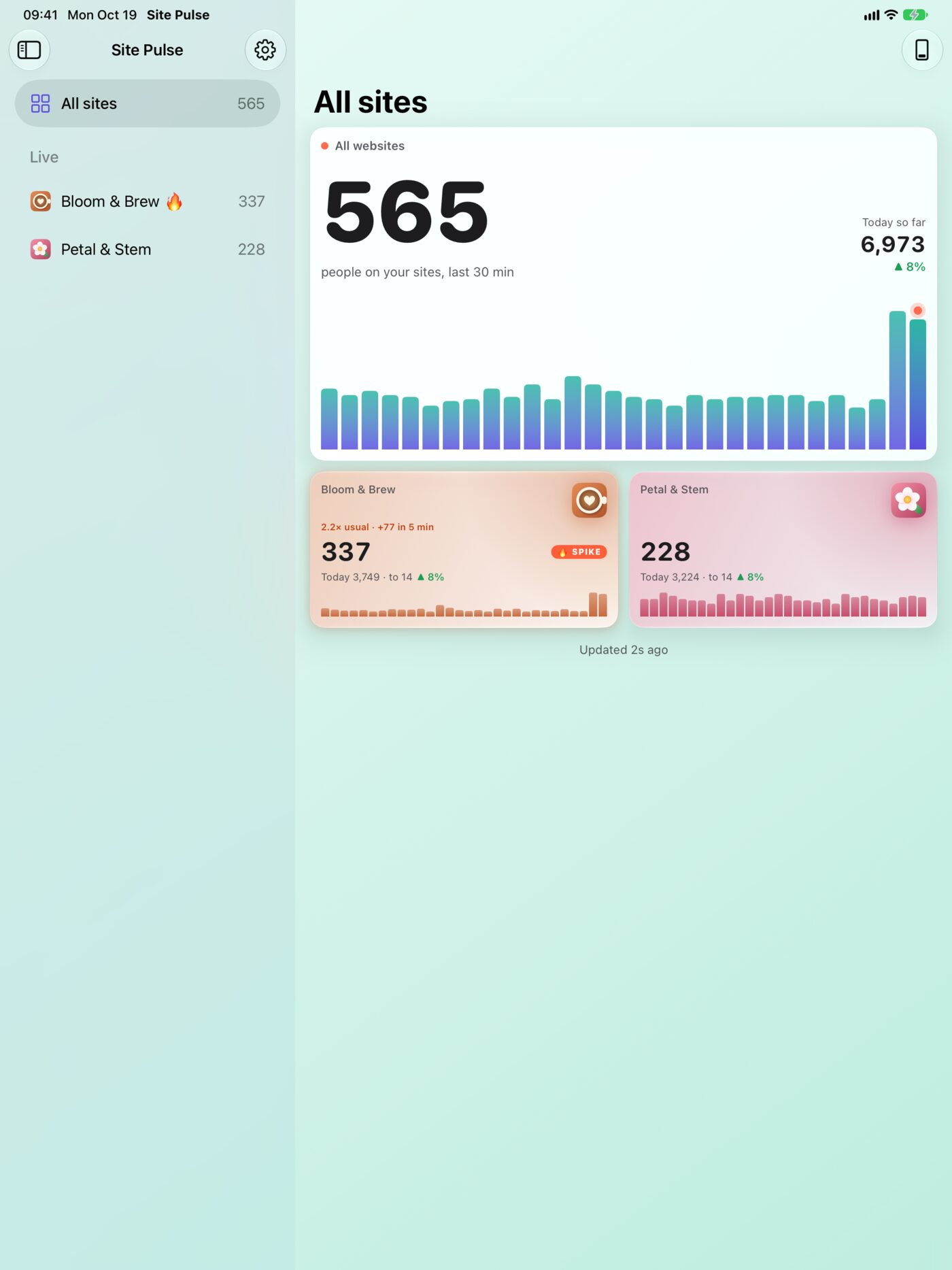
Site Pulse turns Google Analytics 4 into a live number you can feel: the people on your websites right now, on every Apple device you own. This note walks through what Site Pulse 1.1 includes, one device and one feature at a time, so you know where to look first.
Everywhere: accounts, sites and sync
- Read-only Google access. Site Pulse reads your GA4 properties and never changes anything.
- Any number of accounts and sites. Connect as many Google accounts as you need and choose which GA4 properties to watch. Each site gets a short name and a colour from its website icon, or one you pick.
- Sync. Sign-ins travel through iCloud Keychain and site choices through iCloud, so your Mac, iPhone and iPad always match.
- Fresh numbers. Live numbers refresh every minute while you look and every five minutes when nothing is on screen. Today against yesterday refreshes every ten minutes, and each site’s usual traffic every six hours. Google’s quota for each site is under Settings › Google limits.
- Demo sites. Bloom & Brew, a café on its Latte Art Night, and Petal & Stem, a London florist, show how everything behaves before you connect your own. Turn them off whenever you like.
iPhone
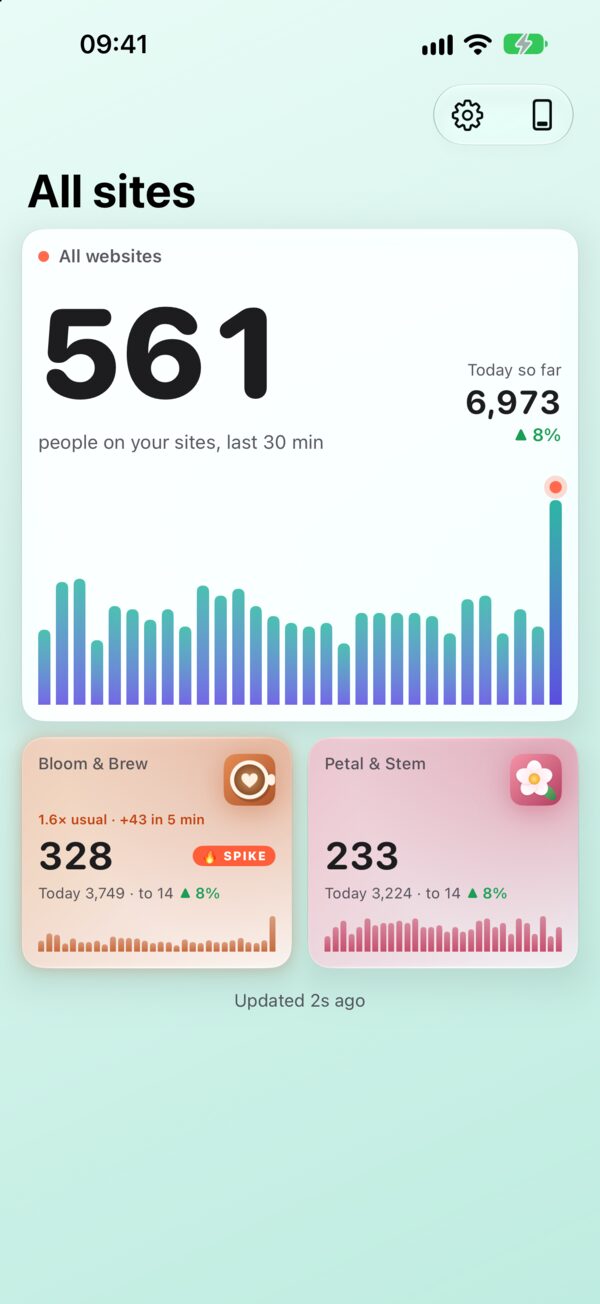
The dashboard shows everyone on your sites in the last 30 minutes, minute by minute, with today against yesterday. Tap a site for its live room: where they are (countries, then cities), what they’re reading, what they’re on (mobile, desktop and tablet, as a ring) and what they do (your GA4 events).
Seven looks change both the app icon and the dashboard’s hero: Live Bars, a skyline of the last 30 minutes; Ripple, rings of your sites around the total; Panes, stacked glass; Ring, today’s pace against yesterday; Heatmap, a 30-minute grid; Story, the moment told as a sentence; and Map, where your visitors are right now, city by city.
The built-in Site Pulse Everywhere guide walks you through putting your numbers in six places: the Home Screen, the Lock Screen, a Live Activity, Apple Watch, CarPlay and Siri. More on the iPhone page.
Live Activities
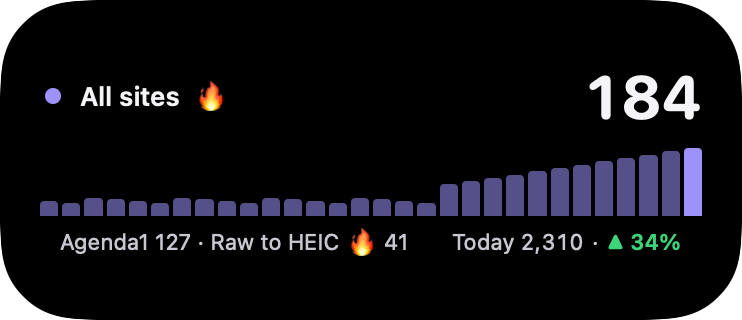
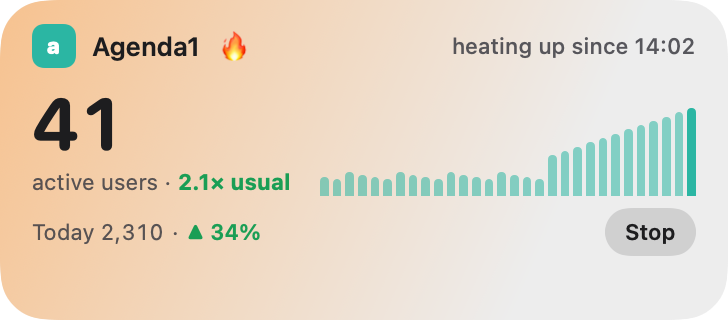
Follow one site or all of them on the Lock Screen, in StandBy, in the Dynamic Island, in the Apple Watch Smart Stack and on the CarPlay Dashboard. A Live Activity shows the people right now, a bar for every minute, today against yesterday, the top country and top page, and spike details. All sites shows up to three sites as chips, spiking ones first. It updates every minute, even while the app is closed, and its status line always says how fresh it is. See the Live Activities page.
Spike alerts
When a site’s last five minutes run at 1.5 times its usual for that hour or more, with at least ten more people than usual, its tile glows with a SPIKE badge. Optional extras, all off until you turn them on: a notification such as “3.3× usual · +155 in 5 min”, a Live Activity that starts by itself, and on Apple TV a two-minute takeover in warm colours.
Widgets
Nine widgets for the Home Screen, the Mac desktop and Apple Vision Pro: Pulse, Month pace, One site, Highlights, Calendar, Leaderboard, Ghost race, Monthly report and Sites wall. Six for the Lock Screen, and the All sites live complication for Apple Watch. On Vision Pro, widgets can be raised or set in, in paper or glass. See every widget.
iPad
A sidebar with All sites, Live and Quiet, a wide dashboard and site detail, Lock Screen Live Activities and the extra-large Sites wall widget. See the iPad page.
Mac
A menu bar app with no Dock icon: the live total and a 30-minute sparkline next to the clock. Click it for a popover dashboard, or open it in a window. The number bounces when a site spikes, Launch at login starts it with your Mac, and it talks only to Google. See the Mac page.
Apple Watch
All sites in the look you picked on iPhone, a page of sites and a page for each site, with numbers that come from your iPhone, plus the complication for your watch face. See the Apple Watch page.
Apple TV
Three tabs: Live, World and Settings. Live is the big number with today, its pace, a 30-minute skyline and a “Right now” column. World tours all your sites with a leaderboard, or shows one site’s cities, countries and pages. Ambient mode dims and drifts after ten minutes without the remote, Top Shelf shows your numbers on the Home screen, and pairing is a QR code scanned with your iPhone. See the Apple TV page.
Apple Vision Pro
Your dashboard in a window with an ornament for Refresh, Add to wall and Settings, and widgets on the walls and desks around you. See the Vision Pro page.
Siri
Ask “How are my websites in Site Pulse?” or “How’s Bloom & Brew in Site Pulse?” and hear now, today and this month, hands-free in CarPlay and on AirPods.
Free and Pro
The whole app is free on every device, including the menu bar, the dashboard, site pages, accounts, sync, the demo and its Live Activity, every widget’s headline number and spike alerts. Site Pulse Pro adds Live Activities for your own sites, full widget details, single-site widgets and Highlights’ rotating facts. Pro comes as Monthly (with a 3-day free trial), Yearly (with a 1-week free trial) or Lifetime, works with Family Sharing, and reminds you two days before a trial ends.
Want to try it? Join the TestFlight beta.
Questions
Which devices does Site Pulse 1.1 run on?
iPhone, iPad and Mac, plus Apple Watch, Apple TV and Apple Vision Pro, each with version 26 of its operating system or later. iPhone, iPad and Mac are one universal purchase.
Is the app available in my language?
The app itself is in English. This website is in nine languages.
How do I restore Site Pulse Pro on a new device?
Open Settings › Site Pulse Pro (on the Mac, Settings › Pro) and choose Restore purchases.
 RawToHEIC
  MergeHDR
  Filters
  Photo Geotag
  Copyrighted
  Camera Grid
  Photo Tape