Nine widgets for nine kinds of website owner
From the one-number Pulse to the Monthly report: which Google Analytics widget suits whom, and where to put it.
A widget is the cheapest way to keep an eye on a website: no app to open, no report to load, just a number where you already look. Site Pulse has nine of them for the Home Screen, the Mac desktop and Apple Vision Pro, six more for the Lock Screen and a complication for Apple Watch.
Nine is a lot to choose from, so here they are matched to the kind of site owner each one suits best. Most people end up with two: one for right now, and one for the month.
Small widgets: one glance, one answer
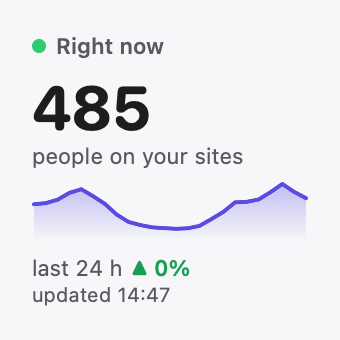
Pulse, for the person who just wants to know
Pulse shows the people on your sites right now, for free; Site Pulse Pro adds the curve of the last 24 hours underneath. If you only add one widget, add this one. It answers “is anyone there?” before you’ve finished asking.
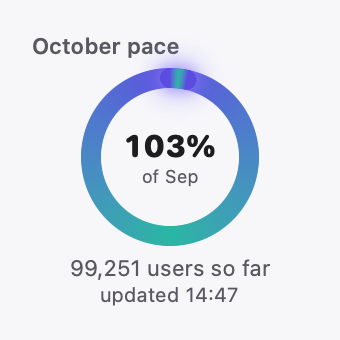
Month pace, for the one with a goal
Month pace sets this month against last month at the same day, as a ring: ahead or behind, at a glance. It suits anyone who reports monthly numbers, such as a newsletter writer, a freelancer with a client report or a shop with a target.
One site, for the owner of one site that matters
One site shows a single site’s month, tinted in that site’s own colour. If you run a café or a studio and the website is just one of your jobs, it keeps that one site in view without the rest. Single-site widgets are part of Site Pulse Pro.
Highlights, for the one who needs a reason to smile
Highlights brings up rotating facts: your best day, this week’s spikes, a growth streak. It’s the widget for days when the raw number feels flat but the trend is good. The rotating facts come with Site Pulse Pro.
Medium widgets: the month in context
Calendar, for the publisher
Calendar draws the month as a heatmap, the busiest days darkest, with the busiest and quietest days called out. If you publish on a schedule, it shows at a glance which days your readers turn up, so you can match the busy days to what you published.
Leaderboard, for the portfolio owner
Leaderboard lists your top sites this month with their share of the total. Agencies, developers and anyone who runs several sites get a ranking that updates as the month goes on.
Ghost race, for the competitive one
Ghost race plots this month racing last month, with last month as a ghost line.
Large and extra large: the full picture
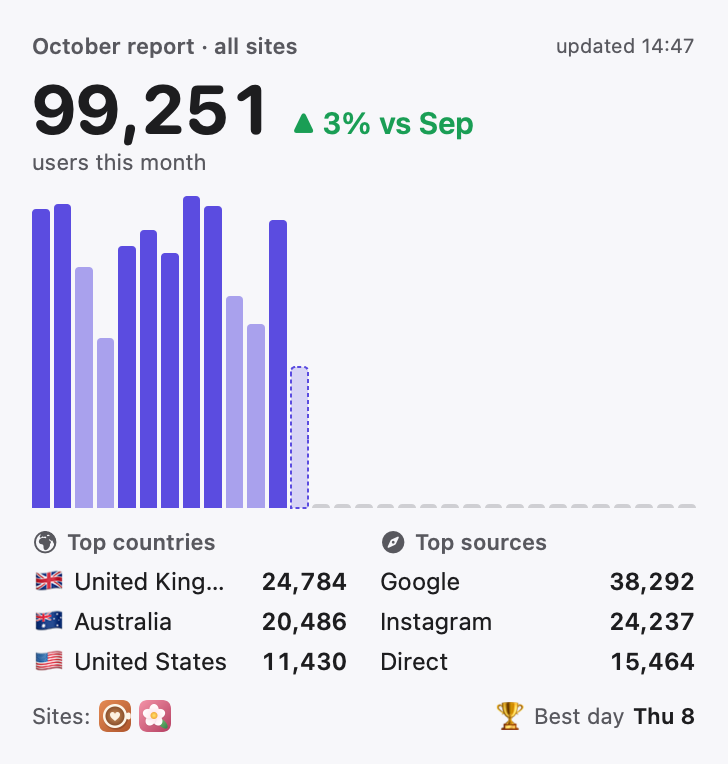
Monthly report, for the one who writes the report
Monthly report puts the month in one place: the total, daily bars, the top countries and the top sources. If you send someone a monthly summary, much of it is already on your Home Screen.
Sites wall, for the big screen
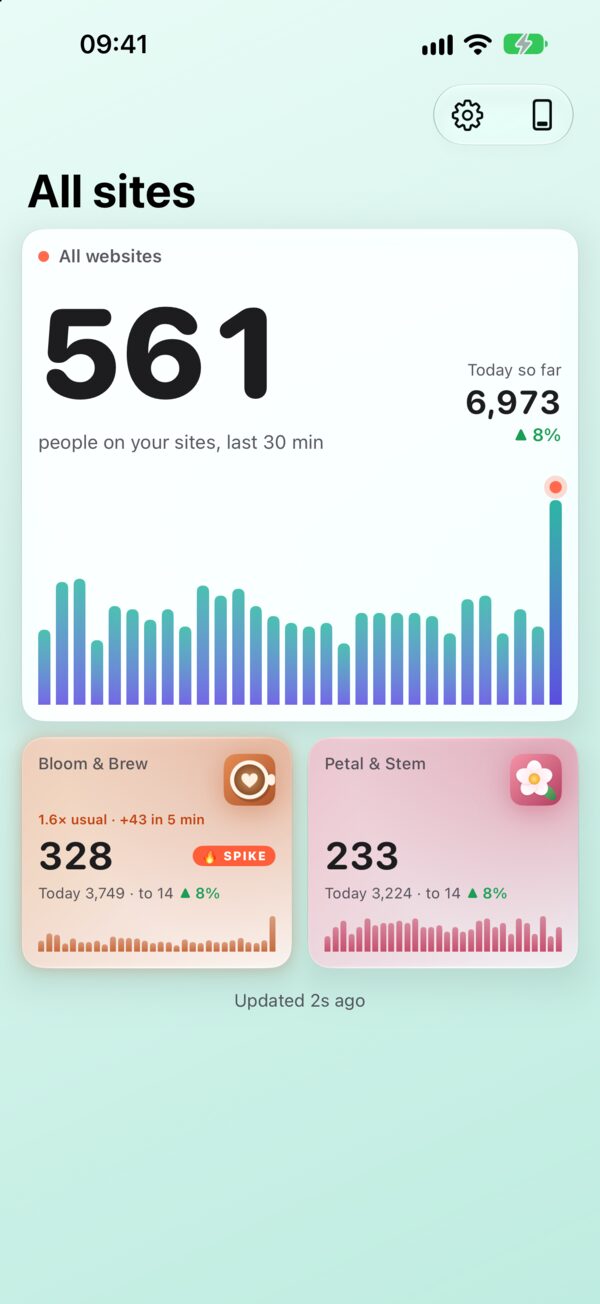
Sites wall shows who’s live now, the last 24 hours and your top sites. It’s extra large, made for iPad, the Mac desktop and Apple Vision Pro, where it suits a desk you sit at all day or a wall you look past.
Lock Screen and Apple Watch
The Lock Screen has six widgets of its own, in the three shapes iOS allows:
- Live and today (inline): people live now and today’s total, in one line above the clock.
- Live now (circular): the people on your sites right now.
- Month pace (circular): this month against last month, as a ring.
- Live minutes (rectangular): the live count with a bar for each of the last 30 minutes.
- This month (rectangular): users this month and the change against last month.
- Story (rectangular): who’s on your sites, in words.
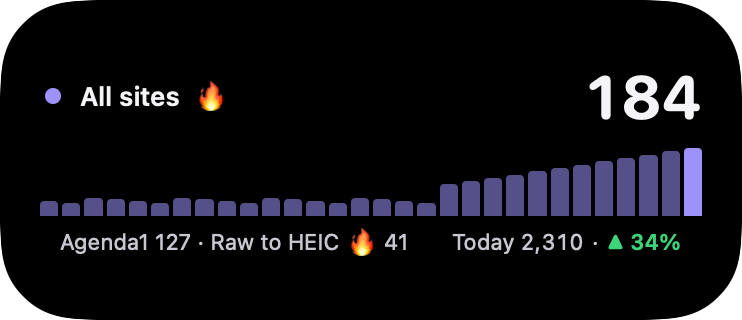
On Apple Watch, the All sites live complication puts your total on the watch face, in circular, rectangular, corner or inline form.
Free and Pro
Every widget shows its headline number for free. Site Pulse Pro adds the details: the 24-hour curve, pace rings, the ghost line, heatmap levels, countries and sources, best day, comparisons, widgets for a single site and Highlights’ rotating facts. There is no limit on how many sites or accounts you add, free or Pro.
How fresh are the numbers?
Widgets are not live in the way a Live Activity is. iOS and macOS decide when they refresh, to save battery. Site Pulse helps on iPhone and iPad: a widget whose numbers are more than 15 minutes old fetches fresh ones from Google by itself.
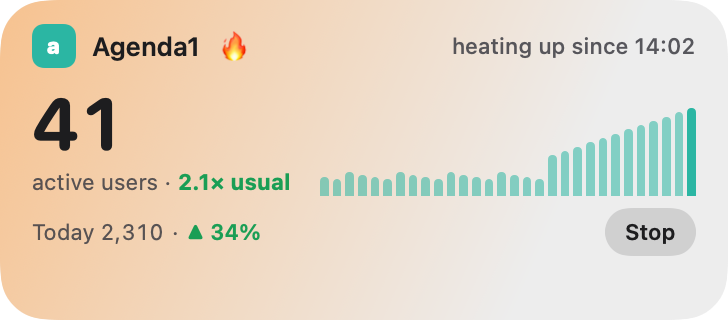
If you need minute by minute, pair a widget with a Live Activity. Use the widget for the month and the Live Activity for the moment. The widgets page shows all of them at actual size, and you can join the TestFlight beta to put them on your own Home Screen.
Questions
How often do widgets update?
iOS and macOS decide when widgets refresh. On iPhone and iPad, a widget older than 15 minutes fetches fresh numbers from Google by itself. For minute-by-minute numbers, use a Live Activity.
Can a widget show just one website?
Yes. With Site Pulse Pro you can pick a single site for a widget, tinted in that site’s colour.
Are the widgets free?
Every widget shows its headline number for free. Site Pulse Pro adds the details, such as the 24-hour curve, pace rings, the ghost line, heatmap levels, countries and sources, best day and comparisons.
 RawToHEIC
  MergeHDR
  Filters
  Photo Geotag
  Copyrighted
  Camera Grid
  Photo Tape